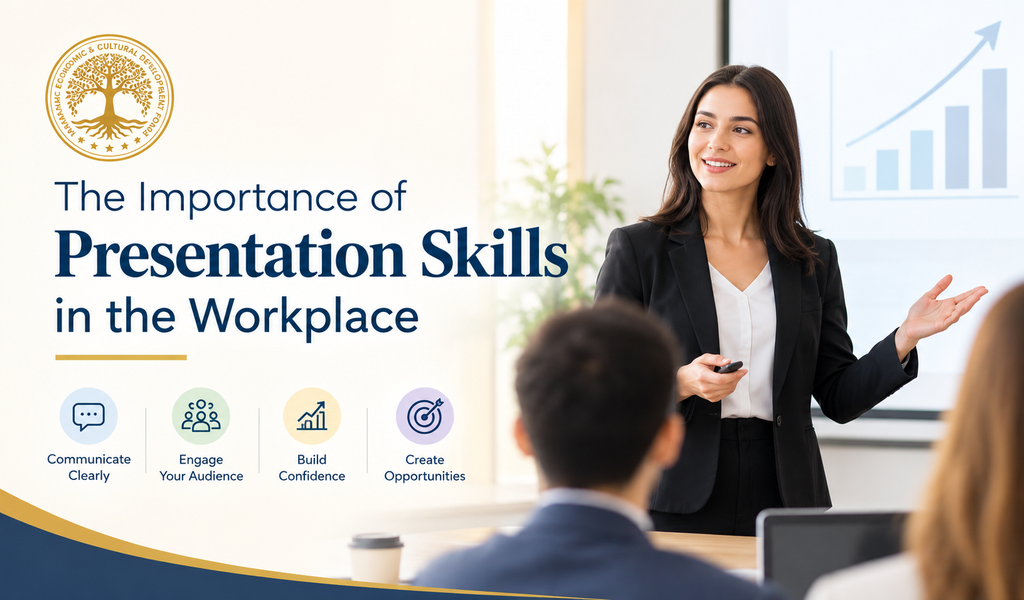
Speak clearly. Share ideas. Make an impact.
In today's professional world, having good knowledge and technical expertise is important, but being able to communicate that knowledge clearly is equally valuable. Whether someone is presenting a business proposal, explaining a project, sharing research findings, training colleagues, or speaking with clients, presentation skills help turn ideas into messages that people can understand and act upon.
Presentation skills are not limited to people who speak on large stages or lead important meetings. They are useful for employees at every level, entrepreneurs introducing their businesses, students preparing for interviews, and professionals working with international teams.
Strong presentation skills can help people explain complex information, build confidence, encourage collaboration, and make better-informed decisions. The good news is that these skills can be developed through preparation, practice, and constructive feedback.
What Are Presentation Skills?
Presentation skills are the abilities needed to communicate information, ideas, or recommendations clearly and effectively to an audience. They involve more than speaking confidently. A good presentation combines thoughtful planning, organized content, appropriate visuals, clear language, and an understanding of the audience.
Important presentation skills include:
-
Verbal communication: Explaining ideas in clear, understandable language.
-
Body language: Using posture, gestures, facial expressions, and eye contact appropriately.
-
Active audience engagement: Encouraging questions, discussion, and participation.
-
Organization: Presenting information in a logical sequence.
-
Time management: Covering the main points within the available time.
-
Visual communication: Using slides, charts, images, and other materials effectively.
-
Adaptability: Adjusting the message and delivery according to the audience and situation.
Together, these abilities help professionals communicate with clarity and purpose.
Why Presentation Skills Matter in the Workplace?
1. They Improve Workplace Communication
Clear communication helps teams understand objectives, responsibilities, deadlines, and expectations. A well-structured presentation can make complicated information easier to follow and reduce confusion.
For example, a project manager explaining a new workflow can use a simple process diagram and practical examples instead of relying on lengthy explanations. Team members are more likely to understand what needs to happen and where their responsibilities begin.
Effective presentations are especially useful when different departments need to coordinate their work.
2. They Build Professional Confidence
Speaking in front of colleagues, clients, or senior managers can feel uncomfortable, particularly for people who are new to a role or unfamiliar with the audience.
Preparation helps reduce uncertainty. When professionals understand their subject, organize their main points, and practise their delivery, they can communicate more confidently.
Confidence does not mean speaking perfectly or never feeling nervous. It means being prepared enough to communicate despite some nervousness, respond thoughtfully to questions, and remain focused on the purpose of the presentation.
3. They Support Career Growth
Professionals often need to explain their achievements, propose improvements, share project results, or contribute to strategic discussions. The ability to present these ideas clearly can help others understand the value of their work.
For example, an employee who identifies a way to improve a process may have a useful idea. However, the proposal is more likely to receive serious consideration when the employee can explain the problem, outline the suggested solution, and describe the expected benefits and possible challenges.
Presentation skills can therefore support professional development by helping individuals communicate their knowledge and contributions more effectively. They do not guarantee promotion, but they can strengthen a person's ability to participate in workplace opportunities.
4. They Strengthen Leadership Abilities
Leadership involves more than assigning tasks or making decisions. Leaders must explain priorities, communicate change, encourage participation, and help people understand a shared direction.
Strong presentation skills help leaders make expectations clear and explain the reasons behind important decisions. They also provide opportunities to listen to concerns and answer questions.
Consider a team leader introducing a new organizational process. Simply announcing the change may leave employees uncertain. Explaining why the change is needed, how it will affect daily work, and where employees can ask questions creates a more useful conversation.
Good leaders use presentations to inform and involve people, not merely to speak at them.
5. They Help Build Trust With Clients and Stakeholders
Presentations often influence how clients, partners, investors, and other stakeholders understand a business or project. A clear and honest presentation demonstrates preparation and respect for the audience's time.
Professionals should explain what they know, distinguish facts from assumptions, and acknowledge limitations where necessary. Overstating results or making promises that cannot be supported may damage credibility.
A trustworthy presentation focuses on relevant information, answers the audience's real questions, and makes the next steps clear.
6. They Encourage Better Decision-Making
Workplace decisions often depend on how effectively information is presented. Managers may need to compare options, review project performance, assess risks, or allocate resources.
A useful presentation separates the central issue from supporting details. It may include the available options, their advantages and disadvantages, the evidence behind each option, and a recommended course of action.
For example, instead of displaying a large spreadsheet without explanation, an analyst can highlight the most important findings and explain what they mean for the business. This helps decision-makers focus on the information that matters.
Essential Presentation Skills Every Professional Should Develop
1. Know Your Audience
Before preparing a presentation, consider who will be listening. Are they specialists, senior managers, clients, students, or people encountering the subject for the first time?
The audience's knowledge, interests, and expectations should shape the content. A technical team may appreciate detailed information, while a general audience may need simpler explanations and more examples.
Ask yourself:
-
What does the audience already know?
-
What does it need to understand?
-
What questions might it ask?
-
What should listeners remember or do afterward?
Answering these questions gives the presentation a clear purpose.
2. Organize Your Message
A presentation should guide the audience from the main problem or question to a useful conclusion.
A simple structure works well for many workplace presentations:
-
Opening: Introduce the topic and explain why it matters.
-
Main section: Present two to four key points, supported by evidence or examples.
-
Conclusion: Summarize the central message and explain the next steps.
Avoid including every detail simply because it is available. Select information that supports the purpose of the presentation and move additional material to an appendix or supporting document when appropriate.
3. Speak Clearly and at a Suitable Pace
Speaking too quickly can make information difficult to understand. Speaking too slowly without variation may reduce audience attention.
Use a comfortable pace, pronounce important terms clearly, and pause briefly between major points. Pauses also provide listeners with time to absorb information.
Whenever possible, replace unnecessary jargon with familiar words. If a technical term is essential, explain it before using it repeatedly.
4. Use Body Language Effectively
Body language can support the message being communicated. An open posture, natural gestures, and appropriate eye contact can help a speaker appear engaged and attentive.
However, effective body language does not require exaggerated movements or constant eye contact. Cultural expectations differ, so professionals should be aware of the audience and setting.
For online presentations, look toward the camera when addressing the audience, maintain a suitable posture, and check that facial expressions and gestures remain visible.
5. Design Clear and Useful Visuals
Slides should support the speaker rather than compete with the message.
Use readable fonts, sufficient contrast, consistent formatting, and relevant images or charts. Keep each slide focused on one main idea wherever possible.
For example, a chart showing a clear comparison may communicate a trend more effectively than a paragraph describing every number. Add a short explanation so the audience understands what the visual demonstrates.
Avoid crowded slides, excessive animation, decorative graphics that add no value, and text that is too small to read.
6. Manage Time Wisely
Respecting the allotted time shows consideration for colleagues and helps the presentation remain focused.
Estimate how long each section will take, practise with a timer, and leave room for questions when required. If the presentation is longer than necessary, remove repeated points rather than rushing through the conclusion.
It is also useful to prepare a shorter version of the presentation in case the meeting schedule changes.
7. Handle Questions Professionally
Questions are an opportunity to clarify information and understand the audience's concerns.
Listen to the complete question before responding. If necessary, repeat it briefly to confirm your understanding. Give a direct answer, provide supporting information, and avoid becoming defensive when someone disagrees.
If you do not know the answer, say so honestly and explain how you will follow up. A thoughtful response is more credible than an unsupported guess.
How to Improve Presentation Skills Step by Step?
Presentation skills improve through regular practice. Professionals do not need to wait for a major meeting or formal training session to begin.
Step 1: Start With Short Presentations
Choose a familiar topic and explain it in two or three minutes. Focus on communicating one main message, supporting it with an example, and ending clearly.
Short practice sessions help build familiarity with the process without creating unnecessary pressure.
Step 2: Practise Out Loud
Reading a presentation silently is not the same as delivering it. Speaking aloud helps identify awkward wording, unclear transitions, and sections that take too long.
Practise using brief notes rather than memorizing every sentence. This allows for a more natural delivery and makes it easier to recover if you lose your place.
Step 3: Record and Review Yourself
When appropriate, record a practice presentation and review it. Notice whether the message is clear, the pace is suitable, and the slides are easy to follow.
Choose one or two areas to improve at a time. Trying to correct every small habit in one session can be overwhelming.
Step 4: Ask for Constructive Feedback
Invite a trusted colleague, mentor, trainer, or friend to review your presentation.
Ask specific questions, such as:
-
Was the main message clear?
-
Which section was most useful?
-
Were any points confusing?
-
Did the presentation stay within the time limit?
Specific feedback is easier to apply than general comments such as “It was good.”
Step 5: Learn From Experienced Presenters
Observe how effective speakers introduce their topics, explain complex ideas, use examples, manage questions, and conclude their presentations.
Rather than copying someone's personality or speaking style, identify techniques that suit your own communication style and professional setting.
Step 6: Take Opportunities to Present
Volunteer to explain a project update, lead a short team discussion, share lessons from a training session, or present findings at a meeting.
Each opportunity provides experience. Reflecting on what worked and what could be improved turns that experience into learning.
Presentation Skills in Remote and Hybrid Workplaces
Digital communication has made online presentations an important part of professional life. Remote and hybrid teams may include people working across different locations, time zones, languages, and cultural backgrounds.
Presenting online requires many of the same skills as presenting in person, along with a few additional considerations.
Check the technology beforehand. Test the microphone, camera, presentation software, screen sharing, and internet connection where possible.
Make slides easy to read. Small text and complicated diagrams can be difficult to follow on a laptop or mobile screen.
Invite participation. Use questions, polls, chat responses, or brief discussion periods when appropriate. Do not assume that silence means everyone understands.
Communicate inclusively. Explain acronyms, speak at a reasonable pace, and share important materials in accessible formats when possible.
Plan for technical problems. Keep a backup copy of your slides and be prepared to explain the main points without relying entirely on technology.
These practices can make online presentations more reliable and accessible for a wider range of participants.
Common Presentation Mistakes to Avoid
Even knowledgeable professionals can make presentations less effective through avoidable habits.
-
Putting too much information on slides: Too many details make it difficult to identify the main message.
-
Reading every word from the screen: This can reduce audience engagement and make the delivery feel less natural.
-
Using unexplained technical language: Listeners may struggle to follow the discussion.
-
Ignoring the audience: A presentation should respond to listeners' needs rather than focus only on what the speaker wants to say.
-
Speaking without a clear objective: Without a purpose, the presentation can become a collection of unrelated points.
-
Finishing without a conclusion: Audiences should leave knowing the main message and any action required.
-
Failing to check facts: Incorrect figures, outdated information, or unsupported claims can undermine credibility.
A useful final review is to ask: “If the audience remembers only one thing from this presentation, what should it be?”
AECD Forum Perspective
Professional development is not limited to academic qualifications or technical training. It also involves learning how to communicate knowledge, collaborate with others, and contribute constructively to workplaces and communities.
For the Abrahamic Economic & Cultural Development (AECD) Forum, presentation skills connect naturally with education, leadership, youth development, women's empowerment, entrepreneurship, and professional growth. These skills help people share research, communicate ideas across cultures, explain community needs, and participate more confidently in professional discussions.
Presentation training can also support greater participation by people who have valuable knowledge but limited experience speaking before an audience. Accessible learning opportunities, mentoring, practical exercises, and constructive feedback can help more individuals develop their communication abilities.
By recognizing communication as a learnable skill, educational and professional development initiatives can help people make better use of their knowledge and contribute more effectively to their organizations and communities.
Practical Action Points: How to Strengthen Your Presentation Skills
-
Define one clear objective. Decide what your audience should understand, remember, or do after the presentation.
-
Prepare around your audience. Adapt the language, examples, and level of detail to their needs.
-
Use a simple structure. Organize your content into an opening, a focused main section, and a conclusion.
-
Practise before presenting. Rehearse aloud and check your timing, transitions, and explanations.
-
Improve your visuals. Remove unnecessary text and use readable slides that support the key points.
-
Request feedback. Ask a colleague or mentor for specific suggestions and apply them in your next presentation.
-
Review your progress. After each presentation, identify one strength to maintain and one area to improve.
Presentation skills are an important part of effective workplace communication. They help professionals share knowledge, explain decisions, build working relationships, and contribute to discussions with greater clarity.
Developing these skills does not require natural talent or a perfect speaking style. It requires preparation, practice, a willingness to listen, and a commitment to continuous improvement.
As workplaces continue to bring together people with different backgrounds, experiences, and expertise, the ability to communicate ideas clearly will remain valuable. By investing in presentation skills, individuals can strengthen their professional development and help their teams turn information into understanding and action.
#PresentationSkills #WorkplaceCommunication #ProfessionalDevelopment #CareerGrowth #PublicSpeaking #LeadershipSkills #CommunicationSkills #SkillDevelopment #CareerSuccess #BusinessCommunication #WorkplaceLearning #AECDForum